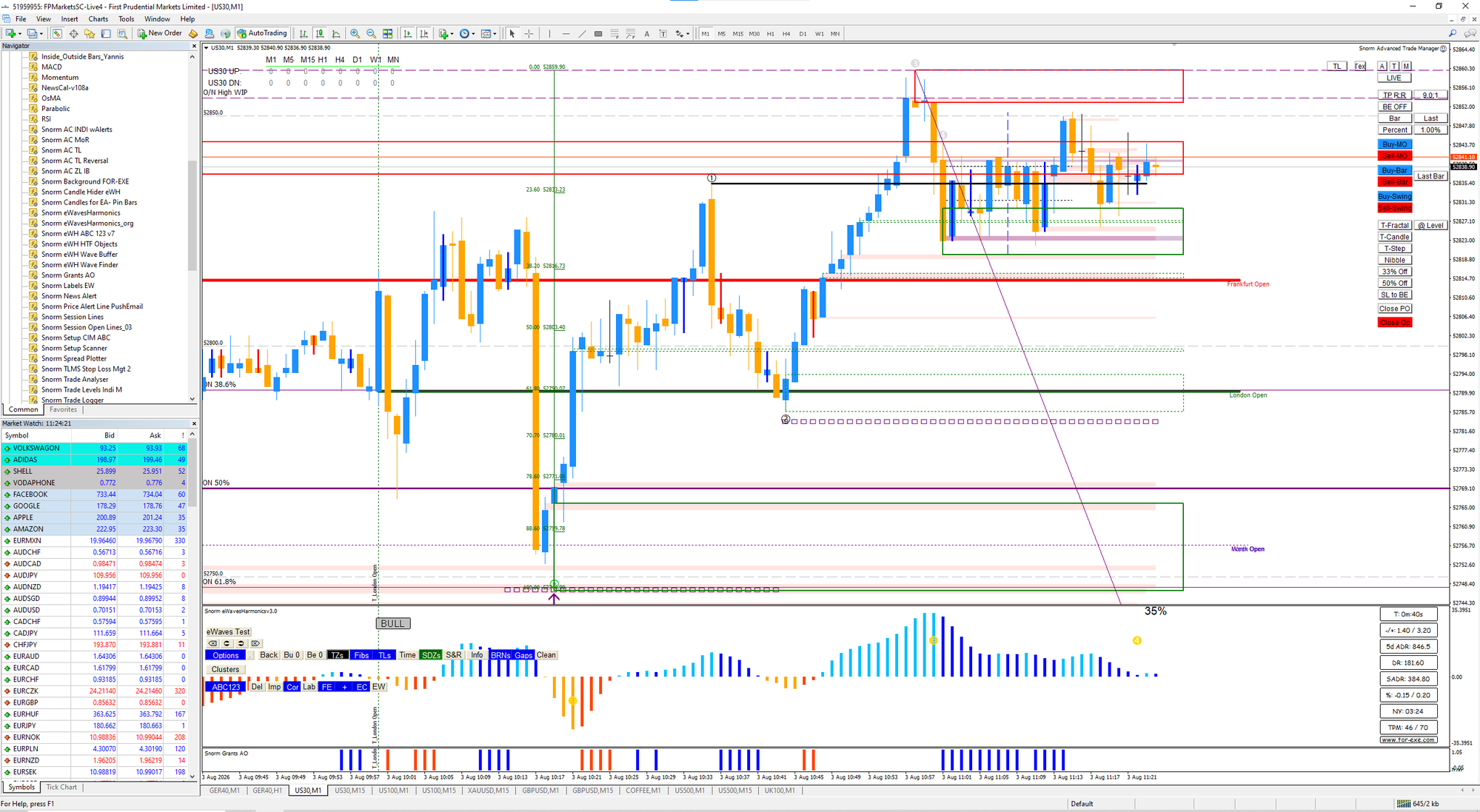
Each platform is built for a different job. MT4 has the deepest EA and indicator ecosystem, MT5 adds more built-in tooling on top of that, cTrader is built around ECN-style execution, and TradingView is the strongest charting layer of the four, and if you ever want to trade the same instruments as real futures rather than CFDs, NinjaTrader and Sierra Chart are where that road leads. Which one you end up on usually comes down to what you’re already running and what you’re trying to do, more than which interface you happen to prefer.
MT4
MT4 is still the most widely supported platform among the brokers on our Brokers compare tool, and two decades of MQL4 development have made it the default target for most third-party EAs and indicators. Advanced Trade Manager, the trade management tool I use myself, is MT4-only for this reason: that ecosystem depth is the main reason MT4 has stayed the standard instead of being replaced by its own successor. MetaQuotes stopped issuing new MT4 licences to brokers a while back too, so no broker starting out today can offer it fresh, which makes the installed base you’re trading on a slowly shrinking one even though it doesn’t feel that way day to day. The interface hasn’t changed much over the years either, which also means it’s lightweight, stable, and familiar to almost anyone who’s used a MetaTrader platform before.
MT5
MT5 adds more order types (six execution types and six pending order types, against MT4’s four of each), far more timeframes (21 against 9), and more built-in indicators (38 against 30), along with a proper economic calendar. The strategy tester is the part that matters most if you build EAs: MT5 tests on real ticks across multiple symbols at once and runs multi-threaded, where MT4 is stuck testing one currency at a time on modelled ticks, which is a meaningfully less honest picture of how a strategy would have performed. If you’re the kind of trader who runs a lot of parameter searches, MT5 also gives you free distributed optimisation through the MQL5 Cloud Network, useful to know about even if you never touch it yourself. MQL5 is the more capable language for building something new instead of porting an existing MT4 EA across, though it isn’t fully backward compatible with MT4 tools, so plenty of traders end up running both: MT4 for an existing EA, MT5 for the extra built-in tooling and the better testing. eWavesHarmonics, which I also use, runs on both, which is a fair sign that a tool’s core logic doesn’t have to be tied to one platform even when others are. Every broker we’ve reviewed supports both MT4 and MT5, so for most people this isn’t an either/or decision, it comes down to which platform the specific EA or indicator was written for.
cTrader
cTrader’s execution model and depth-of-market view are aimed squarely at ECN-style trading, and its interface is generally considered cleaner than MetaTrader’s. What’s under the hood matters too, if you build your own tools: cTrader Automate writes bots in C#, with Python added more recently, so you’re working in a mainstream language instead of MQL’s own dialect, and it comes with a free FIX API with no minimum account size, the kind of access that used to be institutional-only. cBots can also run in cTrader’s own cloud around the clock, so you’re not paying for a VPS just to keep something ticking over while you sleep. The catch is availability: of the brokers we track, only four in ten offer it (Pepperstone, IC Markets, FP Markets, and Fusion Markets, as of this writing), so it narrows your broker choice before you’ve picked a strategy. Worth it if you value the execution transparency and the modern tooling, and don’t mind the shorter list of brokers to choose from.
TradingView
TradingView’s real strength is charting and analysis, not execution, though a growing number of brokers now support trading directly from it. Around six in ten brokers we track connect to it. Pine Script, now at version 6, is the easiest of these platform languages to pick up for building custom indicators and strategies, and the community has published well over 150,000 scripts, roughly half of them open source, so there’s usually something close to what you want already sitting out there. Cross-device syncing is good too, your layout follows you from desktop to phone. What it won’t do on its own is auto-execute a Pine strategy: turning one into something that trades unattended means paying for webhook alerts and bridging them out through a third-party service like PineConnector or TradersPost, so it’s best treated as a very good analysis layer, not a full automation platform. If most of your process is analysis and you only place orders occasionally, it can be the only chart you need open.
If you’re looking beyond CFDs
DAX, Dow, NASDAQ, and the S&P also trade as actual futures contracts on their home exchanges, not only as CFDs through a broker, and two platforms matter if that’s ever a direction you’re curious about: NinjaTrader and Sierra Chart. Both are futures-first, not forex-CFD platforms, so they sit outside the Brokers compare tool entirely, since you’d be trading through a futures broker instead of one of the CFD brokers we track.
NinjaTrader pairs strong charting and orderflow tools with C# automation (NinjaScript) and a strategy analyzer that backtests down to the tick, a meaningfully more realistic test than the modelled-tick backtesting you get on a CFD platform. The charting, backtesting, and simulated trading are free with no time limit, and you only pay once you go live. It’s Windows-only, and it’s now part of Kraken, which completed a $1.5 billion acquisition of NinjaTrader in 2025, the largest deal so far between a crypto exchange and a traditional trading firm; NinjaTrader has started expanding into Europe under that ownership, with the Netherlands and Germany live and more countries reportedly planned, so coverage outside the US is still filling in.
Sierra Chart sits at the other end of the spectrum: a native C++ platform built by engineers for speed and reliability rather than looks, with order routing direct to the exchange in well under a millisecond and the deepest footprint, volume-profile, and DOM tooling of anything mentioned here. It’s also one of the cheapest, with packages from around $26 a month. The trade-off is the interface, which is dated and takes some getting used to, and automation is written in C++ (ACSIL), a bigger step up than MQL5 or C# if you’re coming from MetaTrader or cTrader.
Neither is a drop-in replacement for a CFD setup. Moving from CFDs to futures changes your cost structure, since you lose the spread markup but pick up exchange and data fees, and it changes how you manage a position too, not just which software you happen to be clicking through. It’s a different decision, not just a platform swap.
Choosing between the CFD platforms
An existing EA or indicator usually only runs on one platform, and that decides it before preference comes into it. If you’re not tied to a specific tool yet, cTrader’s execution model and TradingView’s charting are both solid reasons to build around them instead of defaulting to MetaTrader, but check broker support before committing: not every broker offers every platform, and picking cTrader or TradingView first can narrow your broker choice more than it looks like it will.
Every broker on our compare tool is tagged with which of MT4, MT5, cTrader, and TradingView it supports, so filter by the one you need before comparing anything else. NinjaTrader and Sierra Chart sit outside that tool, not because we’ve overlooked them, but because they’re a different asset class, not a different broker.
Nothing on this page is financial advice. Trade your own account, manage your own risk.